
About this sample
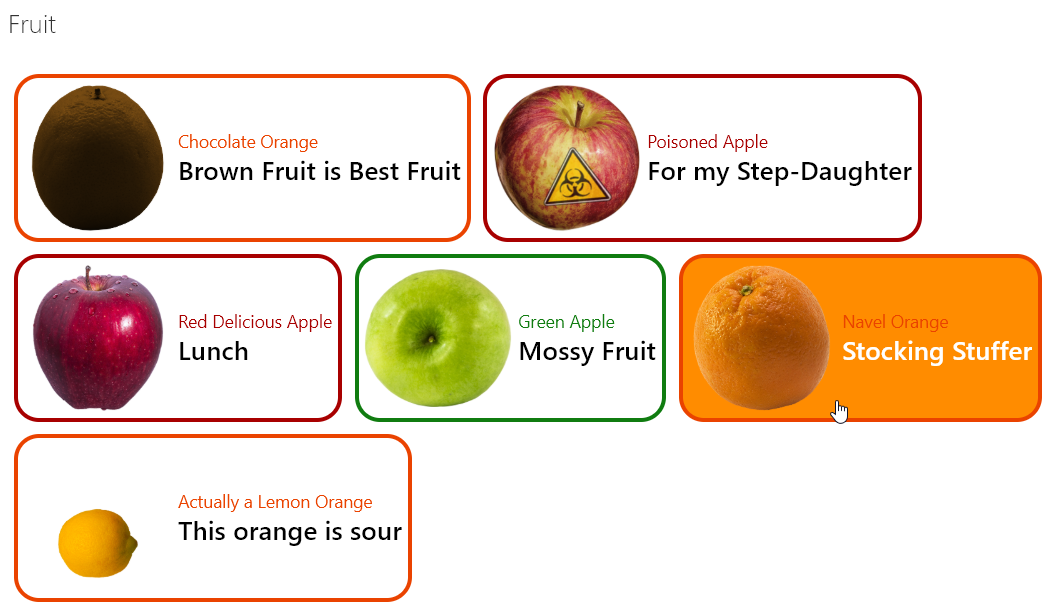
Provides an example of customizing your format based on the item's content type. When an item's ContentType is Apple and the apple type is Green then green is used in the format. If it's Apple with a different type, red is used. Otherwise, orange is used.
Products & metadata
SharePointMicrosoft ListsViewSharePoint OnlineProvisioningContentType@currentWebdefaultClickhideSelection, hideColumnHeader, rowFormatterms-bgColor-white, ms-bgColor-orangeLighter--hover, ms-bgColor-red--hover, ms-bgColor-greenLight--hover, ms-borderColor-orangeLight, ms-borderColor-redDark, ms-borderColor-green, ms-fontColor-white--hover, ms-fontColor-orangeLight, ms-fontColor-redDark, ms-fontColor-green, ms-fontWeight-regular, ms-fontWeight-semibold, ms-fontSize-xl, ms-fontSize-mView Formatting