
About this sample
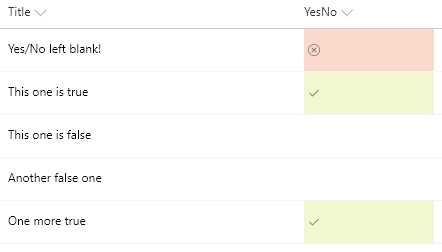
You can apply conditional formatting to Yes/No fields. This sample applies different classes depending on whether the value of the field is Yes (true), No (false), or Blank. This example applies one of the column formatting predefined classes (sp-field-severity--good, sp-field-severity--low, or sp-field-severity--blocked) to the root <div /> based on the field's value. This is what determines the element's background color. A class of `ms-fontColor-neutralSecondary` is always applied to ensure the text color is legible in both light and dark themes. Then, it outputs a <span /> element with an iconName attribute that shows a Fluent UI icon inside that element.
Products & metadata
SharePointMicrosoft ListsColumnSharePoint 2019, SharePoint OnlineIconsYes/Noms-fontColor-neutralSecondary, sp-field-severity--good, sp-field-severity--low, sp-field-severity--blockedColumn Formatting