
About this sample
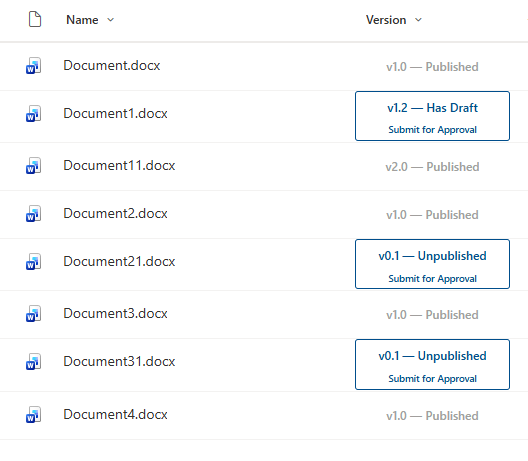
Formats the SharePoint Version column as a combined status badge and approval flow trigger. Major versions (published) display a greyed-out non-clickable card. Minor versions display version status and a Submit for Approval button that triggers a Power Automate flow.
Products & metadata
SharePointMicrosoft ListsColumnSharePoint OnlinePower AutomateNumberfloor, Numberms-fontColor-themePrimary, ms-fontColor-themeDarker--hoverColumn Formatting