
About this sample
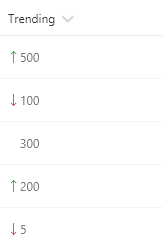
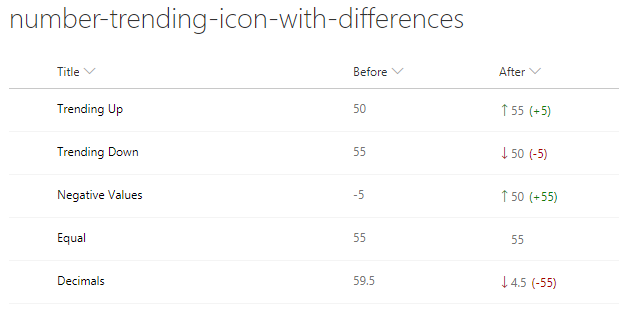
These formats rely on two number fields, Before and After, for which the values can be compared. They show the appropriate trending icon next to the value of the After field, depending on that field's value compared to the value in Before. The sp-field-trending--up class is used when After's value is higher; the sp-field-trending--down class is used when After's value is lower. No icon is shown when they are equal (padding is added to keep consistent alignment).
Products & metadata
SharePointMicrosoft ListsColumnSharePoint 2019, SharePoint OnlineIconsNumbertoStringsp-field-trending--up, sp-field-trending--downColumn Formatting